


 EN
EN DE
DE CH
CH AT
AT
We've been busy working on exciting new features. From compensation rules for recurring employee compensations to shift planner improvements, these updates make your flair experience more customizable and efficient.
Compensation Rules
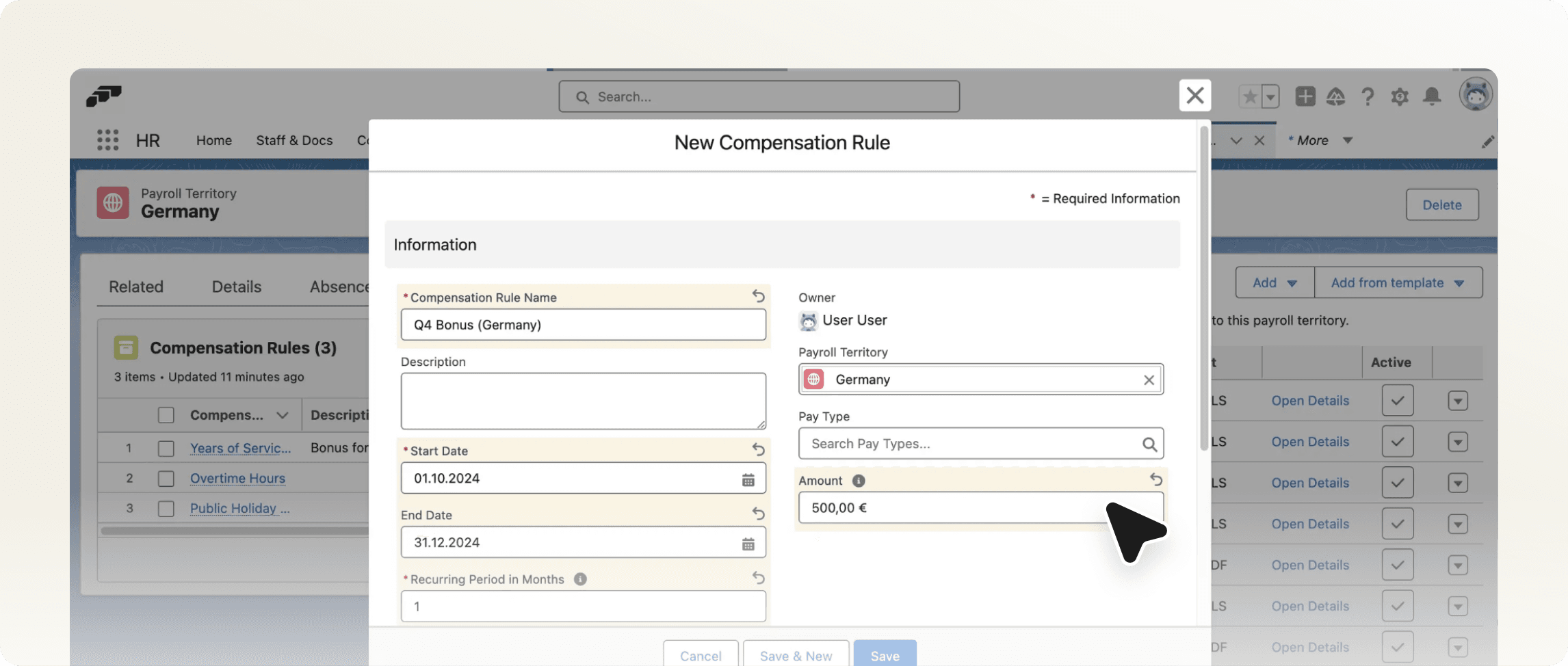
Our new Compensation Rules feature streamlines how you manage employee compensation across your organization. Create and manage recurring compensations in bulk for specific payroll territories with three powerful rule types:
- Basic Rules: Fixed-amount compensations for employee groups
- Dynamic Employee Compensation (EC) Rules: Variable compensations based on employee data (such as years of service) or pay rates
- Payroll Run Rules: Compensations tied to payroll-specific data like overtime
All changes automatically sync to related compensations, ensuring consistency while reducing administrative work.
Read our Compensation Rules guide to learn more.
Synched Workloads
Link workloads directly to shift planner data with our new synchronization feature. This ensures workload records always reflect actual shifts, making it perfect for teams with flexible schedules. Mark days as working or non-working directly from the shift planner and maintain accurate time-off calculations.
Learn more about synched workloads on our Learning Hub.
Custom Flow Buttons for Shift Planner
Add custom functionality to the shift planner through Salesforce flows without custom development. Create both screen flows for interactive processes and auto-launch flows for background operations, with access to shift data, periods, and location information within your flows.
Mobile App Enhancements
Our latest release brings significant improvements, including the capability to track time offline, optional GPS location recording for clock-in/out, a monthly workload overview, and customizable widgets. We've also added language switching and improved error handling throughout the app.
Embedded Career Portal
Seamlessly integrate our career portal into your company website via an iFrame by simply adding ?embed=true to the URL. This removes headers and footers, providing a clean, embedded experience that maintains your brand consistency while leveraging our powerful recruiting tools.
Visit our Developer Hub to learn more.
Configurable Rating Scales
Customize rating scales in engagement surveys and evaluation templates with flexible minimum and maximum values. This feature ensures consistent rating scales across all questions and supports both mandatory and optional rating questions with clear labels.
Multiple Authentication Options
Configure any combination of password, Google, and Azure authentication methods for Employee Hub access. This flexibility supports various organizational security requirements while clearly displaying available login options in employee invitation emails.